

Every few days, another batch of packages gets popped. A maintainer token leaks, an account gets phished, a typosquat slips into a registry, and suddenly there's malicious code published under a name your developers trust. The questions come in fast: what got compromised, what does it do, and the only one that actually matters to you, are we running it?
Answering that by hand is a slog. You read the advisory, cross-reference the package list, check three registries, then go spelunking through your repos to see if any of it is in your dependency tree. By the time you're done, the next batch has dropped.
Here's the same workflow in Mallory, end to end. From an overnight supply chain compromise to a scheduled audit of your GitHub org that emails you the answer every morning.
It starts as a story
When a supply chain compromise breaks, Mallory rolls the chatter into a single story. In this case, 31 packages published under Red Hat Cloud Services, flagged as a credential harvester. You get the details in one view: what was published, what the code does, a timeline of where it was first reported, and every source talking about it.
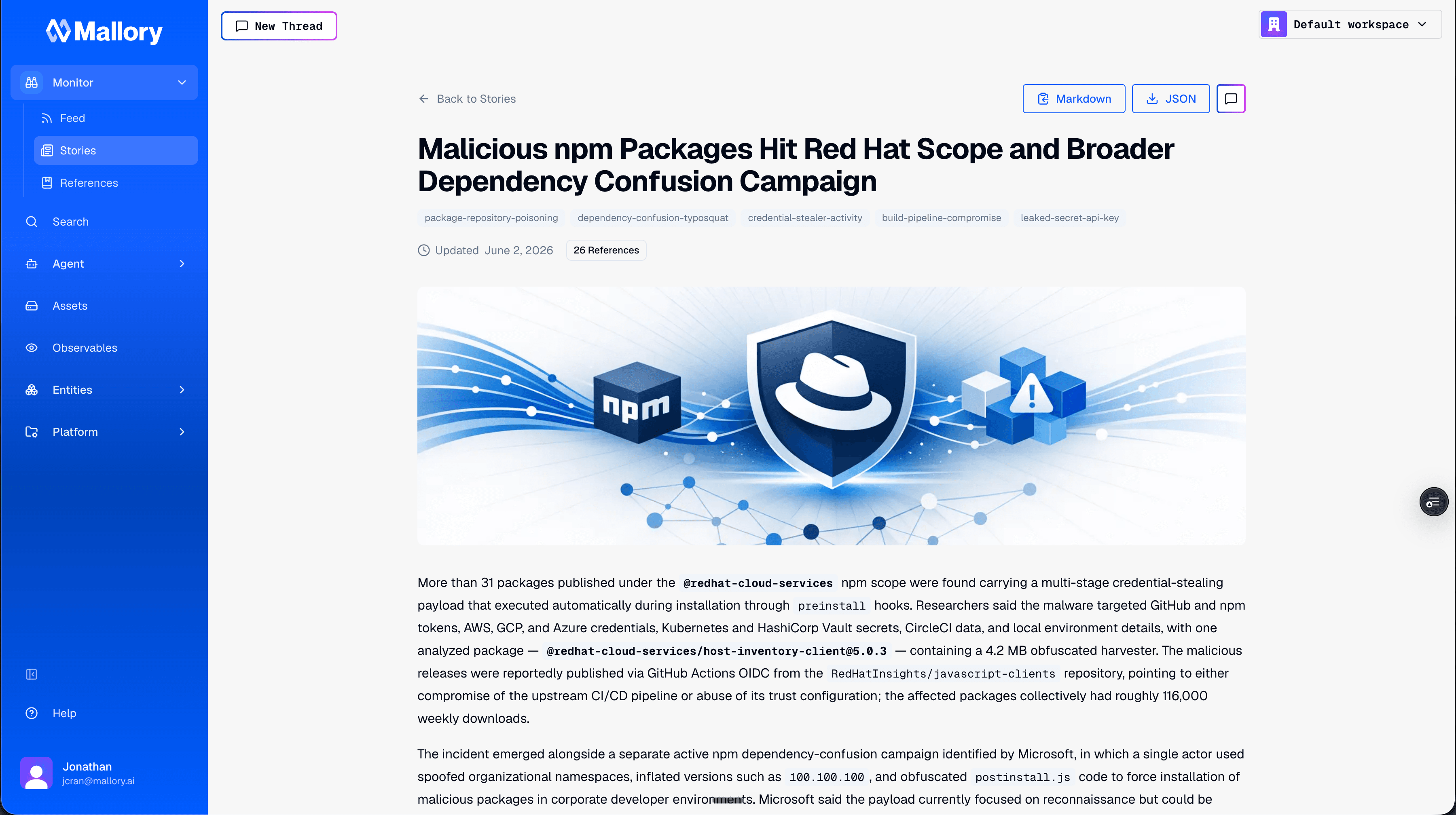
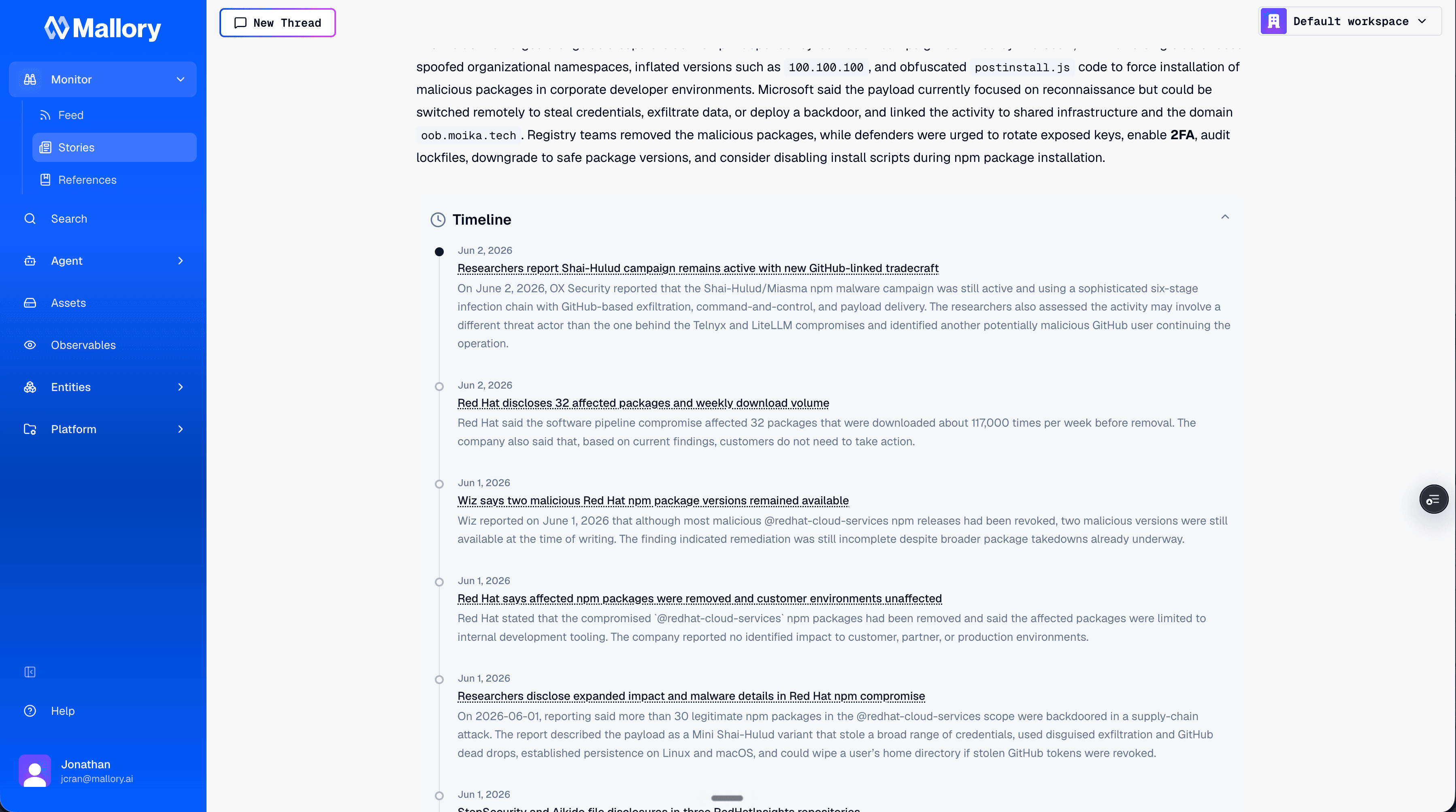
That's the part you'd normally assemble yourself, tab by tab. Mallory clusters it so you don't have to. Pop into chat from the story and the full context comes with you, ready to reason on.
A live stream of compromised packages
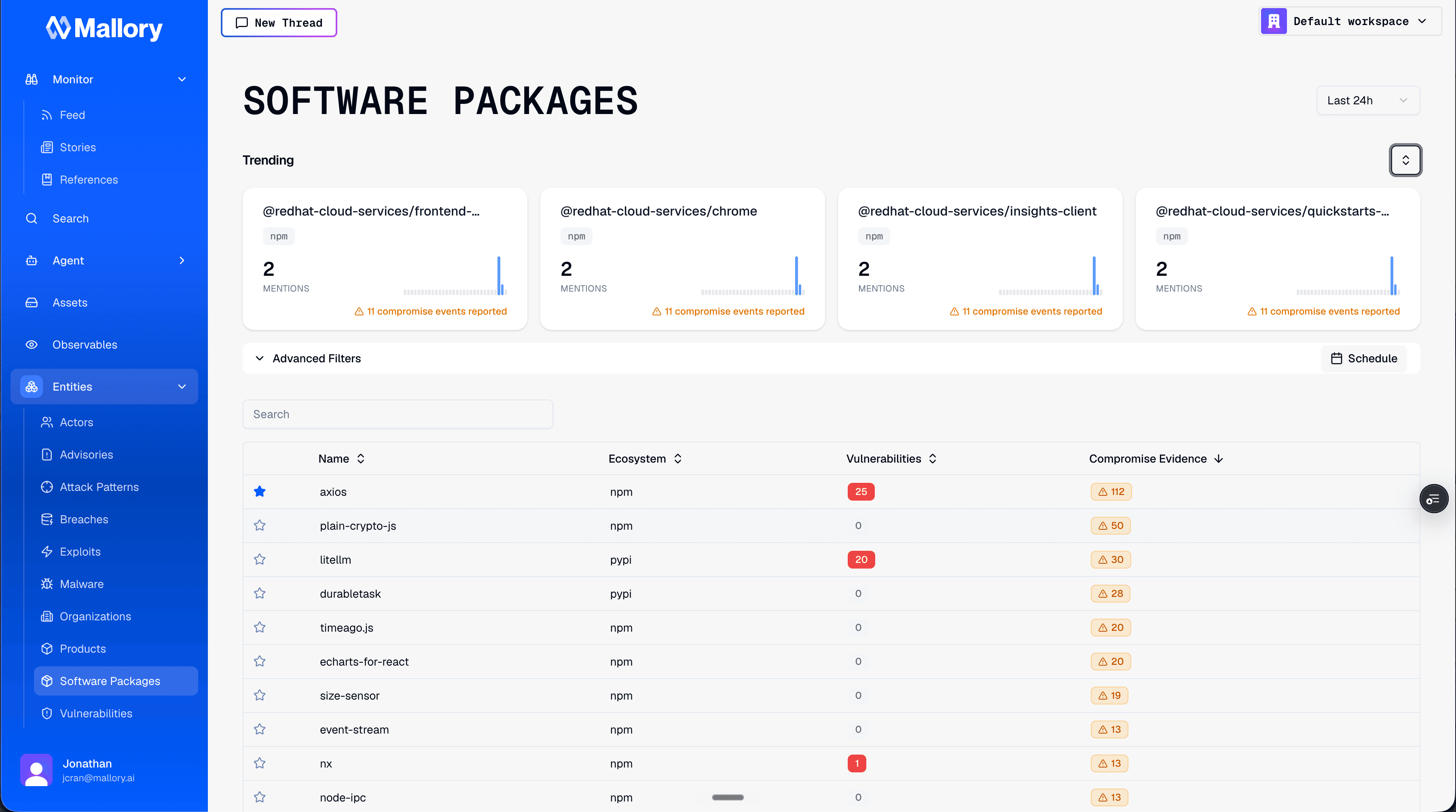
Stories are the situational picture. But for supply chain specifically, you want the firehose filtered down to one thing: what got compromised, right now.
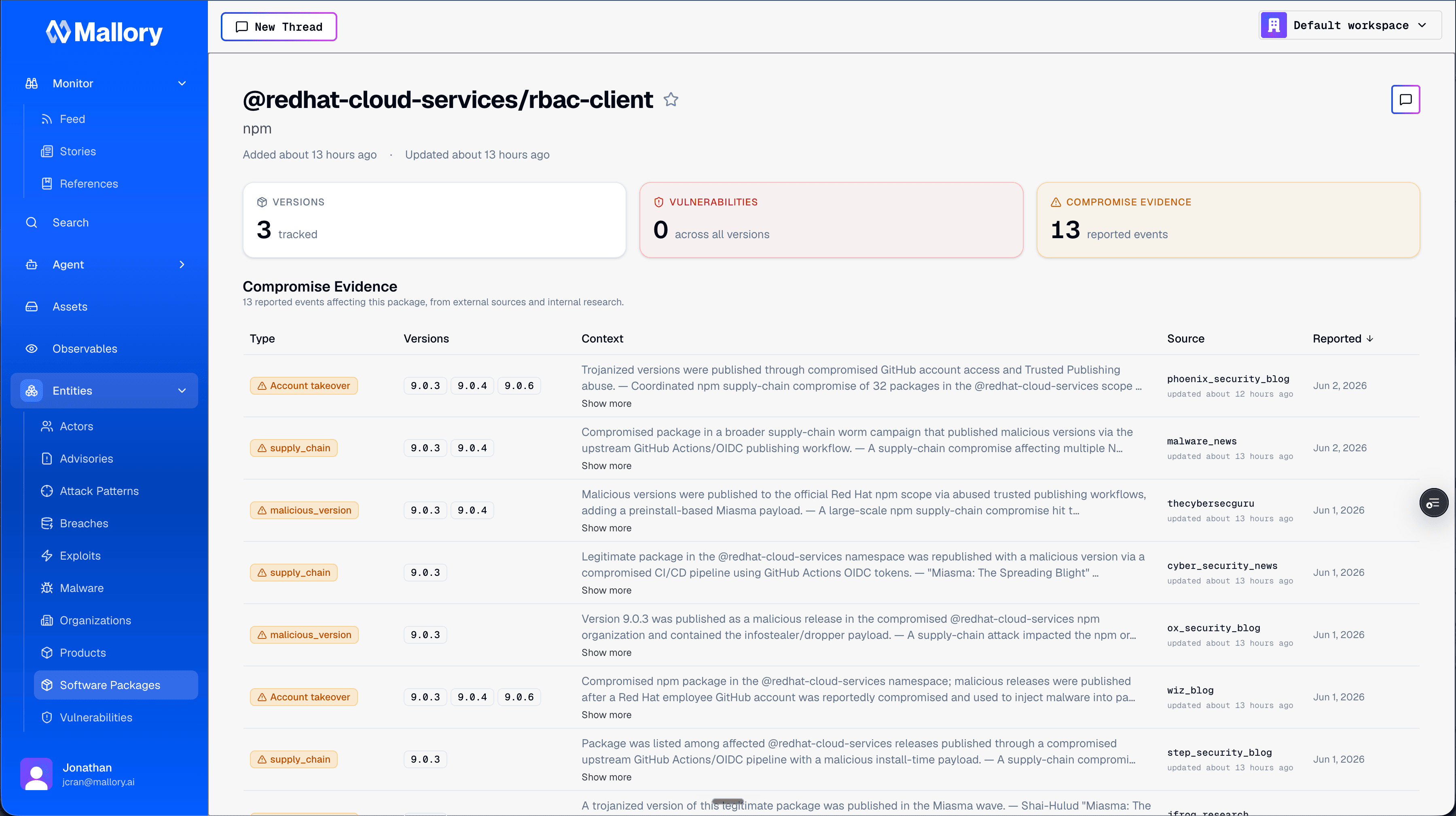
That's the compromised packages stream. Everything flagged in the last 24 hours, newest first, with the Red Hat Cloud Services packages sitting at the top. Open any package and you get the compromised evidence and where it came from, traced back to the original sources. No guessing about why something landed on the list.
Ask, and it pulls from its own API
The stream is in the product, but you don't have to click through it. Ask in chat:
"Give me a list of the compromised packages in the last 24 hours."
Mallory pulls that directly from its own API and hands you the list. Same data, conversational access. Useful on its own, but it's the setup for the part that matters.
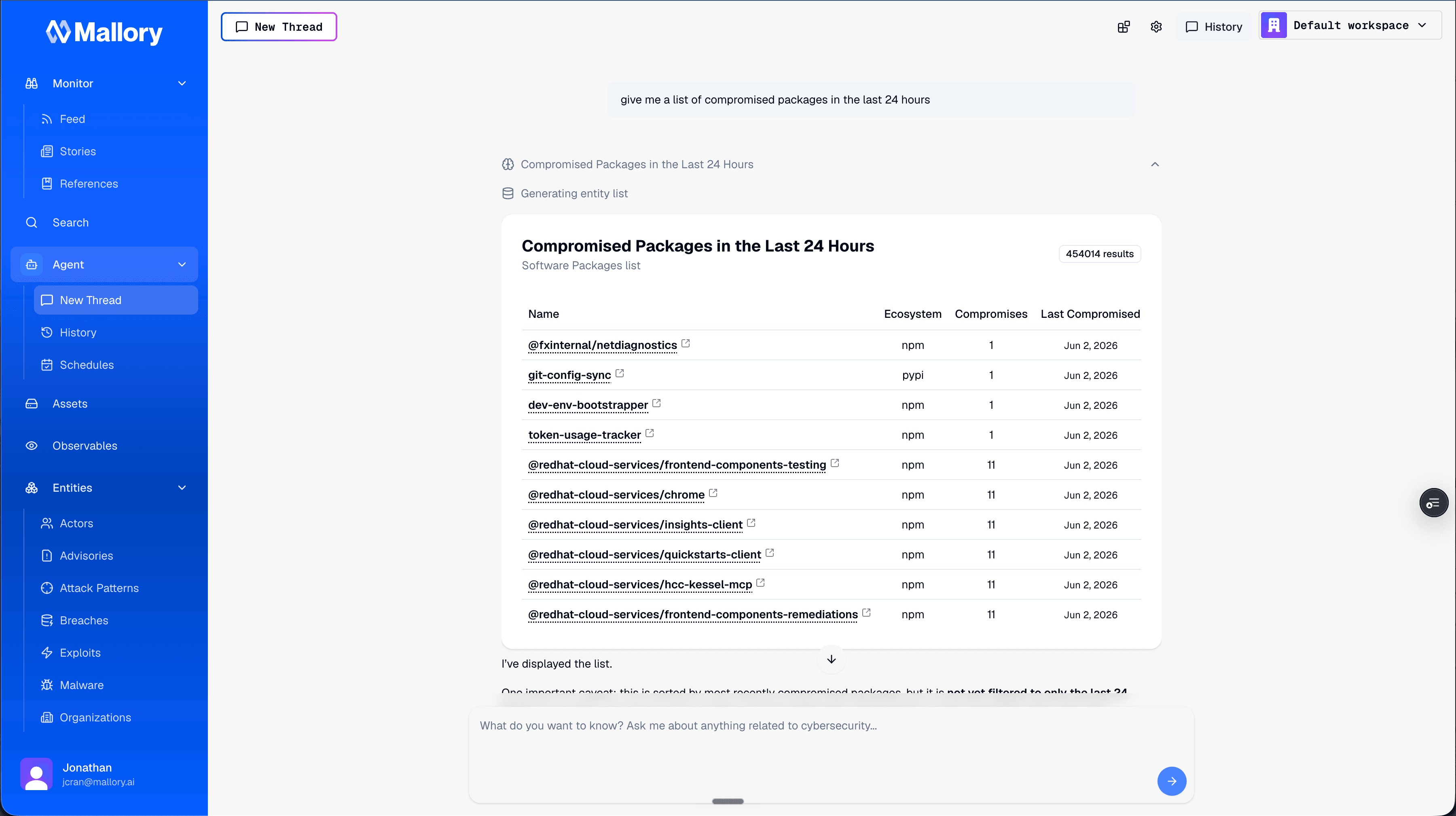
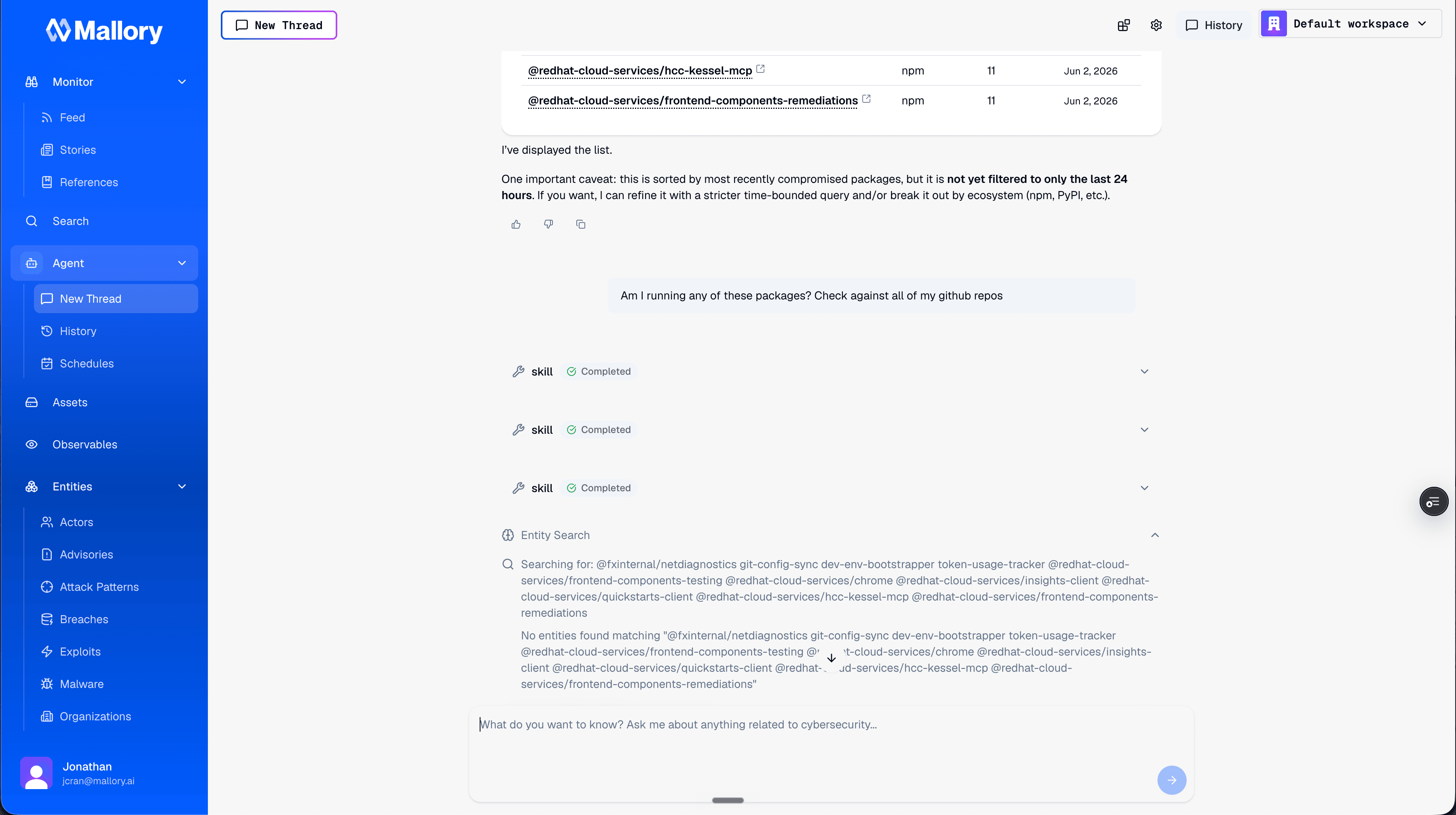
"Am I running any of these?"
This is where intelligence becomes action:
"Take this list of compromised packages and check my GitHub for them. I'd like to know if I'm running any of these. Go ahead and run an audit."
With GitHub connected, Mallory runs the audit itself. It loads the skills it needs, works through an investigation playbook (how to scope the search, what to look for, how to confirm a match), and checks your repos against the compromised list. GitHub is top of mind for most teams here, and the same approach extends across other connected services.
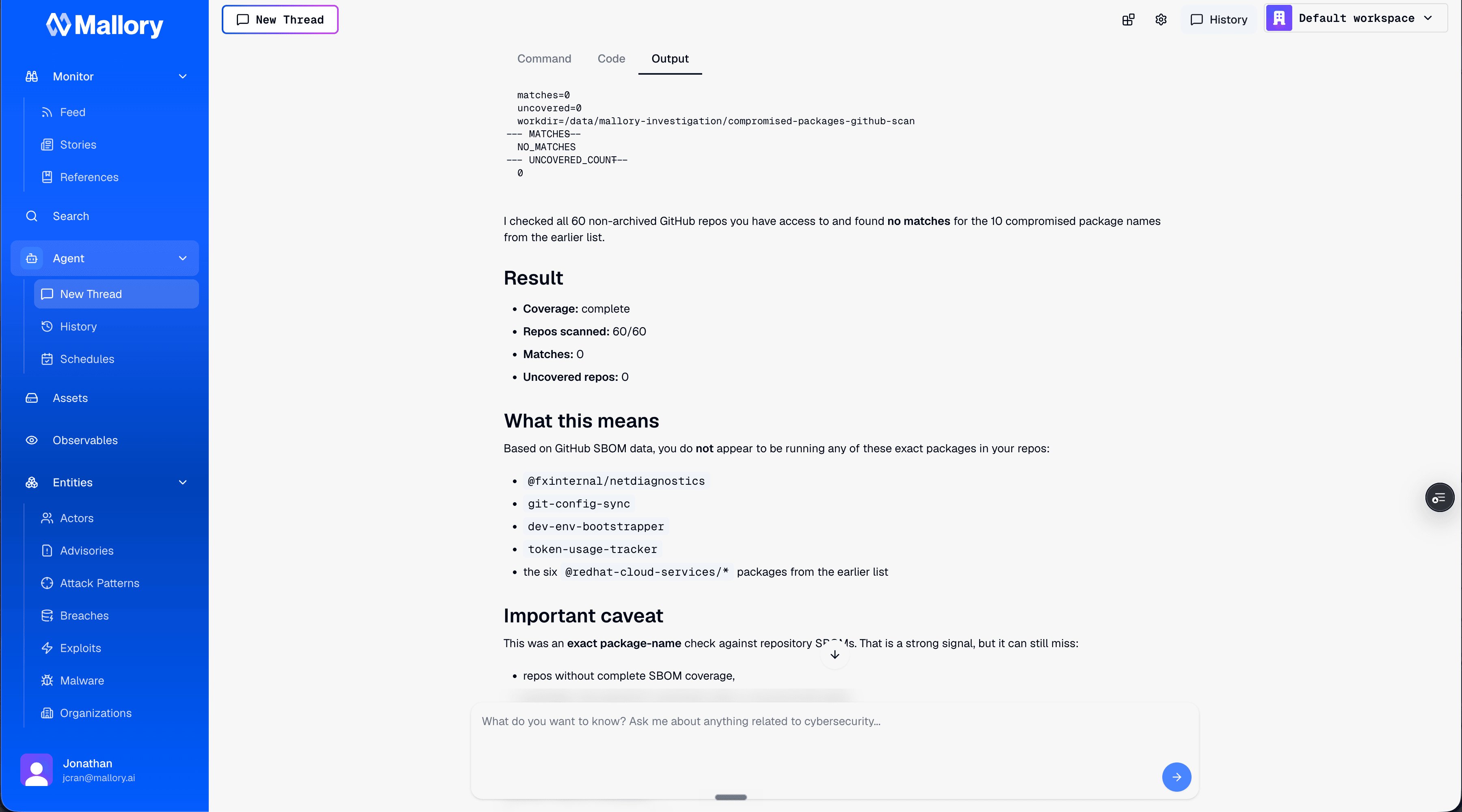
In the demo, the answer came back clean: no matches. That's the answer you actually wanted, in the time it took to ask the question, instead of an afternoon of manual cross-referencing.
Put it on a schedule
A clean result today doesn't help you tomorrow, when the next batch drops. So don't run it once:
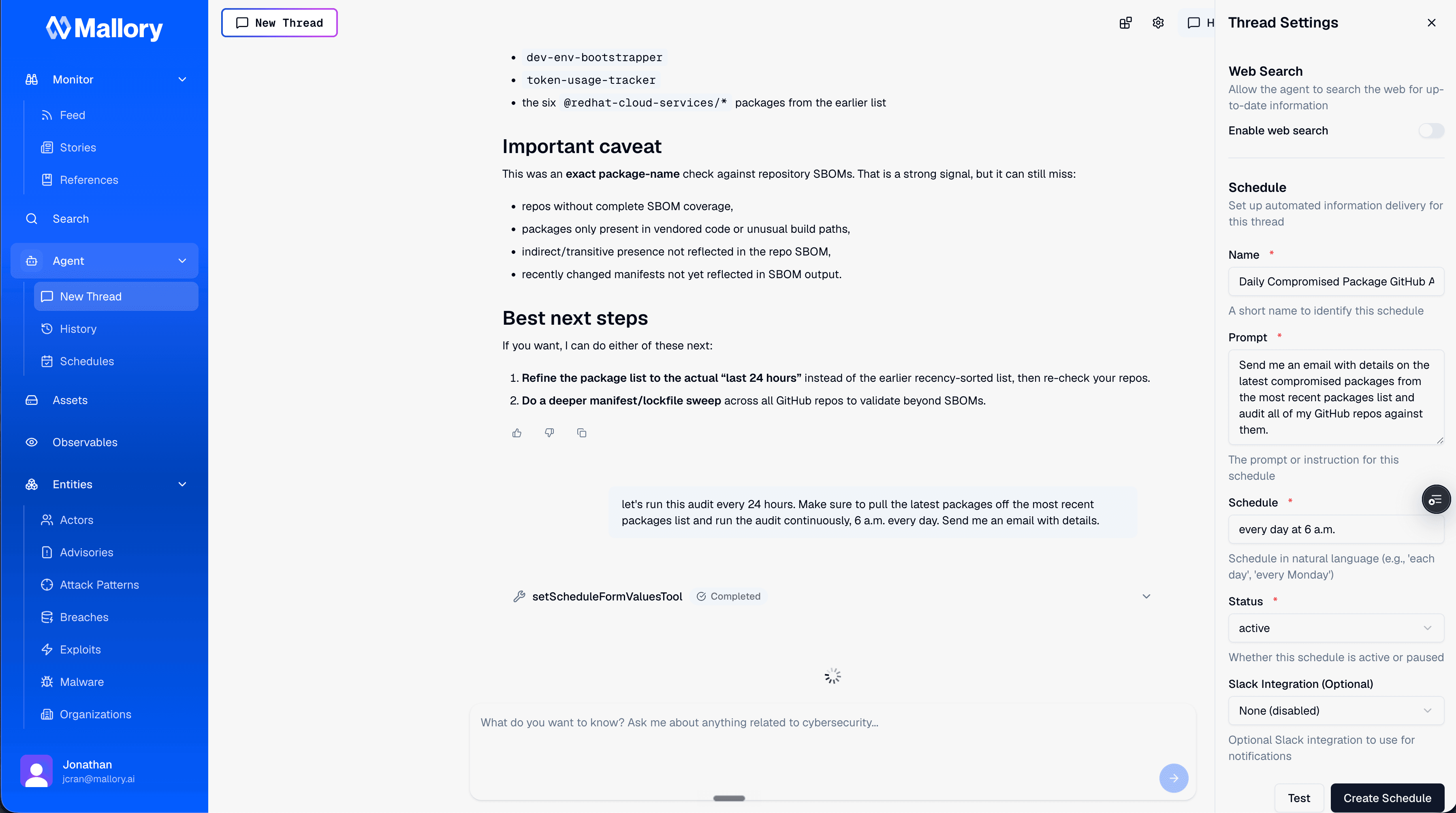
"Run this audit every 24 hours. Pull the latest compromised packages, run it at 6am every day, and email me the details."
Mallory turns that into a standing schedule. Every morning at 6, it refreshes the compromised package list, audits your GitHub, and emails you the result. It shows up in your schedules, and you can jump straight back into the thread anytime. The supply chain check moves from a thing you remember to do under pressure to a thing that's already done before you sit down.
Why this works
This isn't a checklist we automated. The story, the compromised stream, the chat, the audit, and the schedule are all sitting on top of the same data model and the same agent. The intelligence that tells you a package is compromised is the same intelligence the agent uses to go check whether you're running it, and the same thing that runs on a schedule while you sleep.
Supply chain compromise isn't slowing down. The work of figuring out whether it's your problem should.
Try Mallory for Free
From overnight compromise to a scheduled audit of your own repos. Supply chain intelligence that checks whether you're affected, automatically.
Get Started for Free